• No Barriers to Fun!

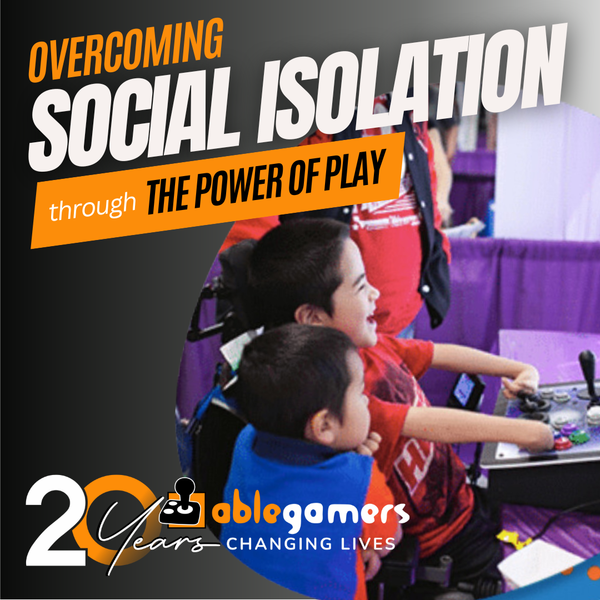
    We met our friend Giddeon at the AbleGamers Accessibility Arcade in Atlantic City, New Jersey. When he first sat down with the AbleGamers crew, Giddeon didn't want to play any games. He told us that with his disability gaming was difficult. Giddeon has a rare disease that caused the growth of his arms .. Read More
  • A Window to the World

    Shepherd University invited the AbleGamers Foundation to come on campus and do one of our Accessibility Arcades for the students and local disabled community. The event was a roaring success with hundreds of children and adults coming out to see the technology and in some cases experience gaming the first time. Read More
  • 1
  • 2

About the AbleGamers Foundation

Since 2004, the AbleGamers Foundation, a 501(c)(3) public charity, has served more than 56 million members of the disabled community by advocating greater access in video games. Today, AbleGamers is a leader in the development of equipment, programs and services to those living with disabilities, hardships, and quality-of-life issues that are a result of chronic illness or trauma. It is our goal to ensure that all people, regardless of their disability, can use gaming as a tool to have enriched social experiences with friends, family, and the world at large. 

 
Game Reviews Playstation 3 Worms Crazy Golf (PS3)
 
Worms Crazy Golf (PS3)

Worms Crazy Golf (PS3) Hot

Editor rating
 
9.3
User rating
 
0.0 (0)


Accessibility At A Glance Worms Crazy Golf (PS3)

9.3

   
Percision > Yes You will need precision to play
One-Handed > Yes One-Handed gamers shoud be okay
Deaf Gamers > Yes You should have no issues with this game
Subtitles > Yes Character text is present but not ambiant
Colorblind > Yes Colorblind gamers should be okay

About the Game

Class
Indie
Genre
Maker
Team 17th
Release Date
October 24, 2011

crazy_golf_banner


The Worms™ Crazy Golf “Carnival Course” Pack is a free downloadable content pack update that adds plenty of new content to Worms™ Crazy Golf. The “Carnival Course” Pack includes the new 18-hole ‘Carnival’ crazy golf course, 5 new challenges with leaderboards, the new ‘bouncy ball’ utility, and brand new customisation items to unlock, including hats, balls and speech banks.

Image Gallery

Worms Crazy Golf (PS3)

Editor review

Worms Crazy Golf (PS3) 2011-11-04 00:31:51 Marco Pasqua
Overall rating 
 
9.3
Mobility 
 
9.0
Visual 
 
9.0
Hearing 
 
10.0
Marco Pasqua Reviewed by Marco Pasqua    November 04, 2011
Last updated: November 04, 2011
Top 10 Reviewer  -   View all my reviews

Worms Crazy Golf Game Accessibility Review

UK based developers Team17 have delighted us for decades with their wickedly funny turn-based strategy franchise Worms™. With each new iteration, the team has aimed to stretch our imagination with an arsenal of wacky weapons and maps that just keeps us coming back for more. That same fun loving spirit is now “par for the course” with the release of Worms™ Crazy Golf on the Playstation Network.

In Worms™ Crazy Golf, we are taken away from the battlefield and are thrown into a wonderful new world where the goal is to sink balls instead of enemies. Set across three fantastically creative courses, players will trade-in their weapons for wedges and have their skills tested against18-holes that become progressively more difficult. There is a vast array of obstacles that stand in your way from a perfect score including: magnets, bats, sheep and even the ‘beloved old women’ who now use their cane to swat away the ball. Of course, facing these obstacles without the adequate tools would seem unfair, so to even the playing field power ups like: explosive balls that will travel farther, and the ability to slow time down have been issued to aid you in your quest to the next hole.

The default game mechanics are similar to that of the other Worms™ games. Pressing the [Square] button brings up the selection of clubs, once the club you want has been selected, press and hold the [Cross] button to power-up your shot and then release the button on the desired power level. If this is not your preferred style of play you can customize your worm to use ‘Classic Golf’ controls where pressing the [Cross] button once to power up, and once more, to set the power, is also available. The goal of each hole is to ‘make par’ to advance to the next level, but on top of this, there are additional challenges that will make you want to come back and truly complete each hole. The additional challenges do not have to be completed the first time around, but once they are, they will unlock new in-game items. After completing each hole, the player is given points based on how well they played. These points can be used later to upgrade their worms clubs, balls, hats and speechbanks.
Single Player mode includes the courses: Britannia, Pirate Cavern and Graveyard, and there are challenge maps like Skill Shots, Time Attacks, Chip-Ins, Targets and Keep-ups that placed throughout the campaign for hours of fun.

Hotseat Multiplayer is available for up to four players locally, either on the same controller or four separate controllers. All 3 courses including all 18 holes are unlocked by default in Multiplayer which I found a nice touch so that I didn’t have to unlock them all in Single Player to experience them with my friends. Players can select to play a ‘Quick Game’ or chose 1, 2, 9 or 18 holes from their favourite course to compete against one another. Just like in Single Player Mode, your preferred playing style is saved to your worm which comes in handy. I myself prefer ‘Classic Worms’ style, but found that some of my friends preferred ‘Classic Golf’ style, and with this system in place, we didn’t have to constantly change the controls each time it was our turn.

Even though there is no Online Multiplayer, the game has Leaderboards for the challenge maps so you’re still able to compare your times against the other players out there.

If there is ever any uncertainty when it comes to a particular game mode, challenge map or power up, there is a breakdown of how to play in the “Help and Options” section of the Main Menu.

Accessibility Issues/Concerns:

As like most Worms™ games, the player is not able to fully customize the game controls but with the ability to toggle the playing style from ‘Classic Worms’ to ‘Classic Golf’ for each worm, I think Team17 made a step towards accessibility even if they didn’t intend to.
Once again, Deaf gamers will be able to play with little to no setbacks. Every time an action is expected by the player, visual indicators are clearly displayed and the camera focuses on the worm or current action. In addition, the first time a player is given a new power up, an on-screen popup is displayed showing how to use it. These popups do not change font size shape or color, so this offers the comfort of consistency.
Playing the game with one hand almost feels like the way it was designed. Most actions while playing can be done simply by pressing the [Cross] Button. When the ball lands on a different terrain, the club is automatically changed to one that best suits the situation, so players with the use of one arm should have no problems here.

Gamers who are color blind or have a visual impairment will notice that the visual indicators are clear and concise and are displayed on font that is easy to read.

At a Glance

Mobility: Aside from lining up the shot, players with motor impairments will find that the majority of game can be played using only 1 button.
Recommended score: 9/10

Hearing: There is on-screen captions and extremely legible visual indicators that don’t change shape, size or readability. Recommended score: 10/10

Vision: Players are able to navigate through each game mode with the assistance of popups and visual indicators. Recommended score: 9/10

Overall: I love the Worms™ franchise and with the fact that this game is as accessible as it is fun, I’d say that’s worth $9.99 any day.

Was this review helpful to you? 
20
Report this review
 

User reviews

There are no user reviews for this listing.

To write a review please register or log in.
 
Powered by JReviews

Add comment

Security code
Refresh