• No Barriers to Fun!

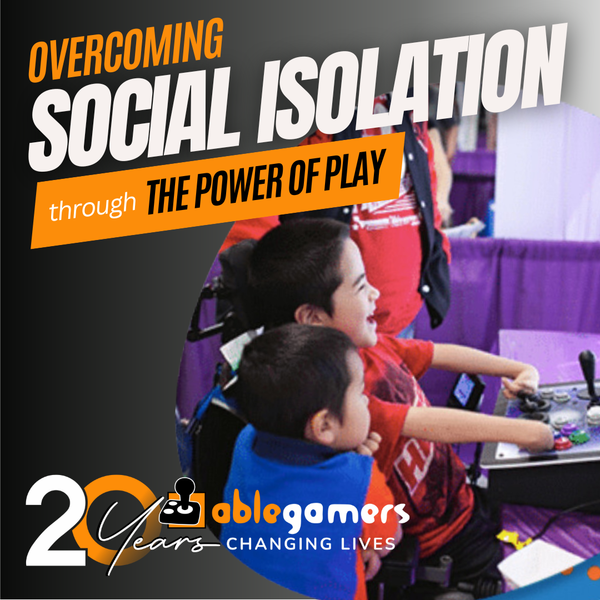
    We met our friend Giddeon at the AbleGamers Accessibility Arcade in Atlantic City, New Jersey. When he first sat down with the AbleGamers crew, Giddeon didn't want to play any games. He told us that with his disability gaming was difficult. Giddeon has a rare disease that caused the growth of his arms .. Read More
  • A Window to the World

    Shepherd University invited the AbleGamers Foundation to come on campus and do one of our Accessibility Arcades for the students and local disabled community. The event was a roaring success with hundreds of children and adults coming out to see the technology and in some cases experience gaming the first time. Read More
  • 1
  • 2

About the AbleGamers Foundation

Since 2004, the AbleGamers Foundation, a 501(c)(3) public charity, has served more than 56 million members of the disabled community by advocating greater access in video games. Today, AbleGamers is a leader in the development of equipment, programs and services to those living with disabilities, hardships, and quality-of-life issues that are a result of chronic illness or trauma. It is our goal to ensure that all people, regardless of their disability, can use gaming as a tool to have enriched social experiences with friends, family, and the world at large. 

 
Game Reviews XBox 360 Viva Piñata (XBox)
 
Viva Piñata (XBox)

Viva Piñata (XBox) Hot

Editor rating
 
5.8
User rating
 
0.0 (0)


Accessibility At A Glance Viva Piñata (XBox)

5.8

   
Percision > Yes You will need precision to play
One-Handed > No Avoid this game
Deaf Gamers > Yes You should have no issues with this game
Subtitles > Yes This Game is Perfect in this department
Colorblind > Maybe Some challanges, but playable

About the Game

Class
Commercial
Genre
Maker
Microsoft
Release Date
October 17, 2006
Multi-player
Yes
Licence Category
commercial

Viva Piñata is a window to another world where wild-roaming, living Piñata animals inhabit a growing, changing garden world. Take control of this environment and the piñata within it, influencing its contents to create your very own pet paradise. The "Viva Piñata" gameplay experience presents a customizable, social and spontaneous world in which gamers play an absolutely crucial role. The world players create is an evolving paradise teeming with fantastic living piñata creatures and vibrant plant life, all determined by the player's choices and actions. "Viva Piñata" boasts the following qualities...

Image Gallery

Viva Piñata (XBox)
Viva Piñata (XBox)
Viva Piñata (XBox)

Editor review

Viva Piñata (XBox) 2010-10-27 00:34:37 Scott Puckett
Overall rating 
 
5.8
Mobility 
 
4.0
Visual 
 
5.0
Hearing 
 
10.0
Scott Puckett Reviewed by Scott Puckett    October 27, 2010
Last updated: October 27, 2010
Top 10 Reviewer  -   View all my reviews

Viva Pinata Accessibility Review

NOTE: This review is intended for parents of disabled children and specifically focuses on what parents of disabled children need to know about this game both in terms of content and accessibility.

Viva Piñata, a game in the budget-priced Platinum Hits series for Xbox 360, is an overwhelming success for parents on nearly every count. The basic premise is that the player tends to a garden and, as the player improves the garden, piñatas will begin to visit and decide to live there. As more piñatas visit and move in, the player gains access to better tools which offer more ways to improve the garden to attract more piñatas. The game is brightly colored, the tamed piñatas are all very cute and look very friendly, and it’s a very gentle game overall.

It’s a simple concept, but it is not a simple game – some piñatas will almost always fight each other, some piñatas will only visit if a piñata they eat for food is present, some piñatas will only live there if they’ve eaten a resident piñata, and so forth. Players have to balance how much of their garden is dedicated to certain types of terrain – some piñatas will only appear if a garden has a sufficiently large pond, while other piñatas require a certain type of tree or plant.

And as if managing the challenges presented by attracting piñatas and making them residents weren’t enough, Sour Piñatas (essentially bad versions of piñatas) will visit the garden and cause trouble for the residents and Ruffians will stomp through the garden and make a mess. As players progress through the game, they can tame the Sours and place items in their gardens to scare the Ruffians away, but at early levels, it can be frustrating to deal with them.

In terms of content, parents need to know that the piñatas sometimes fight each other, that piñatas sometimes eat each other, and that players will need to play mini-games so their piñatas can have baby piñatas. There is no explicit content or violence (successful romance mini-games only show two piñatas dancing to a jukebox), and players will sometimes need to hit Sour Piñatas and Ruffians with their shovel, but the most graphic violence that occurs is a piñata exploding into confetti and candy.

With the content addressed, here is what parents of disabled children need to know about the game’s accessibility.


Accessibility Issues

First, there is no option to turn on subtitling because all dialogue in the game is accompanied by identical onscreen text – in short, subtitles are enabled by default with no visible way to disable them, ensuring that a child can’t inadvertently turn it off and parents won’t have to look through the game manual and search online forums to figure out how to reactivate it.

Viva Piñata also features extensive, written information accessible through the game menu to help players with information about both basic and complex tasks. While Comic Sans isn’t an ideal typeface for subtitles, it’s both legible and readable, and the text is typically large black text on a white background for maximum contrast and ease of reading. Parents of children with hearing concerns should not experience any issues.

Parents of children with a form of colorblindness may experience some issues – Viva Piñata uses red and green for certain menu options, but also provides other visual cues to differentiate between the two colors. Often, the game will note that players need to use the green A button on the Xbox Controller to select an item and the red B button on the Xbox Controller to go back. This is a common interface for the Xbox and is actually the same scheme the console uses in its menus. In this example, while red and green are used for meaning, the green option also includes the letter A for the A button, and the letter B for the B button. In another example, the game uses a layout much like a clock to accept or reject an option – the green arrow to accept the change also has a checkmark on it and points to 12 o’clock. The red arrow to reject the change has a large X on it and points to six o’clock. While any use of color for game information can be problematic, Viva Piñata has also included other visual cues in those situations that do not rely on color to communicate meaning.

Parents of children who have motor function disabilities or other concerns about precision will likely experience some difficulties, particularly in the romance mini-game, which requires a player to navigate a piñata through a maze of balloons. Making contact with a balloon will cause it to pop and at advance levels, will end the mini-game if even one balloon pops. Some of the piñatas move very quickly in the mini-game and can be difficult to control even without motor function concerns. Furthermore, even selecting a piñata roaming in the garden can be difficult as they move around. While children with motor function disabilities or other precision concerns could most likely play the game at relatively basic levels, more advanced levels would likely require assistance.

Parents of children who only have use of one hand may find the game somewhat accessible. Viva Piñata includes two controller schemes: simple and advanced. Simple assigns turning and moving to the left stick; players move the stick left or right to turn, and forward or back to move. The Advanced scheme uses the left stick to move in any direction and the right stick to control what the player is looking at, consistent with most video games. Players with use of only one hand are likely to experience similar difficulties as players with motor function disabilities or precision concerns, especially in the mini-games, but should be able to manage their garden. It’s worth noting here that terrain in the garden must first be turned from dry ground to soil, which is achieved by holding a button down to smack the ground with a shovel. It is possible to move the shovel while turning the ground to soil, but it requires both hands. While players can accomplish the same task by moving the shovel, then turning the ground to soil and repeating, that method is a time-consuming effort which is likely to be frustrating for both parents and their children. Unfortunately, there does not appear to be a toggle option for the shovel (i.e. pressing a button to start smacking the ground with a shovel, then pressing the same button to stop).

Finally, Viva Piñata relies largely upon a system which saves as players exit a gaming session. It is possible to save and continue, but most saving is triggered by leaving the garden.

To summarize the above analysis:

• Parents of children with hearing concerns should find the subtitles suitable.
• Parents of children with a form of color blindness may experience some challenges, but Viva Piñata generally includes visual cues that do not depend on color to convey meaning in addition to the color-based menu options.
• Parents of children with motor function disabilities, precision concerns, or who have use of only one hand are likely to experience varying degrees of frustration, particularly with mini-games but also with some aspects of managing the garden, and should be wary of buying this game before trying it out via renting or borrowing it.

At A Glance

Precision: Mini-games require precision; moving piñatas in the mini-games can be difficult even without precision concerns. Selecting piñatas in the garden can also be difficult due to their movement. Recommend rating of 3 out of 10.

Deaf Gamers: Subtitling enabled by default with no visible way to disable it. Subtitles are large black text on a white background for high contrast and easy reading. Recommend rating of 10 out of 10.

One-handed: Mini-games will likely present similar challenges to gamers with use of only one hand. Some aspects of garden management, most notably turning hard ground into fertile soil, will be significantly more difficult. No toggle options appear to exist to make such tasks easier. Recommend rating of 3 out of 10.

Subtitled: Subtitling enabled by default with no visible way to disable it. Subtitles are large black text on a white background for high contrast and easy reading. Recommend rating of 10 out of 10.

Color Blind: Uses red and green at the same time for some menu options, also includes alternate, non-color-based visual cues like buttons and checkmarks. Recommend rating of 5 out of 10.

Checkpoint / Save System: Saves are mostly triggered by leaving a gaming session, but it is also possible to save progress and continue. Recommend rating of 10 out of 10.

Was this review helpful to you? 
00
Report this review
 

User reviews

There are no user reviews for this listing.

To write a review please register or log in.
 
Powered by JReviews

Add comment

Security code
Refresh

Comments   

 
0 #4 COMMENT_TITLE_R E Viva Piñata (XBox)bikozak 2010-11-09 10:48
I appreciate the attention mentioned to those with color blindness as I suffer from this.
 
 
0 #3 COMMENT_TITLE_R E Viva Piñata (XBox)color blindness 2010-11-09 10:47
I appreciate the attention mentioned to those with color blindness as I suffer from this.
 
 
0 #2 COMMENT_TITLE_R E Viva Piñata (XBox)puckett101 2010-10-27 00:51
I've had the same problems, Lisa. I still haven't been able to successfully romance cows and I'm an adult with okay motor functions (although I know some Modern Warfare 2 players who would vociferously disagree ;-).

I've also hit YouTube and the Viva Pinata wiki for answers. They may offer some help, but not a lot. Still, it's one of the better kids games for the Xbox and it's fun for adults as well.
 
 
0 #1 COMMENT_TITLE_R E Viva Piñata (XBox)Wacky Lisa 2010-10-26 15:15
I have this game.
The mini-games are the most difficult part for me.
What has been helpful has been looking up how to do them on YouTube. That only goes so far and if you don't have the dexterity and reaction speed to complete them it just won't help but, for me, it can increase my likelihood of success a bit.
I really wish that this game was pause-able so that I could find the right pinata to deal with a problem event but alas it isn't.