• No Barriers to Fun!

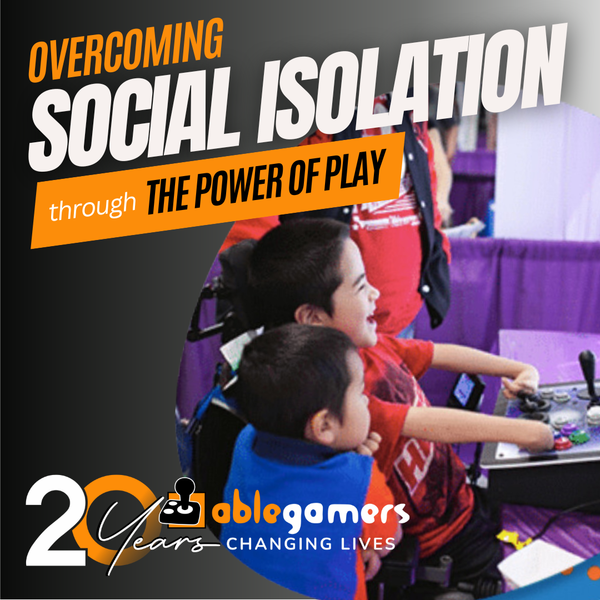
    We met our friend Giddeon at the AbleGamers Accessibility Arcade in Atlantic City, New Jersey. When he first sat down with the AbleGamers crew, Giddeon didn't want to play any games. He told us that with his disability gaming was difficult. Giddeon has a rare disease that caused the growth of his arms .. Read More
  • A Window to the World

    Shepherd University invited the AbleGamers Foundation to come on campus and do one of our Accessibility Arcades for the students and local disabled community. The event was a roaring success with hundreds of children and adults coming out to see the technology and in some cases experience gaming the first time. Read More
  • 1
  • 2

About the AbleGamers Foundation

Since 2004, the AbleGamers Foundation, a 501(c)(3) public charity, has served more than 56 million members of the disabled community by advocating greater access in video games. Today, AbleGamers is a leader in the development of equipment, programs and services to those living with disabilities, hardships, and quality-of-life issues that are a result of chronic illness or trauma. It is our goal to ensure that all people, regardless of their disability, can use gaming as a tool to have enriched social experiences with friends, family, and the world at large. 

 
Game Reviews XBox 360 Call of Duty: Black Ops (XBox)
 
Call of Duty: Black Ops (XBox)

Call of Duty: Black Ops (XBox) Hot

Editor rating
 
5.8
User rating
 
3.8 (1)


Accessibility At A Glance Call of Duty: Black Ops (XBox)

5.8

   
Percision > Yes You will need precision to play
One-Handed >
Deaf Gamers > Yes You should have no issues with this game
Subtitles > Yes Character text is present but not ambiant
Colorblind > Yes Colorblind gamers should be okay

About the Game

Class
Commercial
Genre
Maker
Activision
Release Date
November 09, 2010
Official Website
Multi-player
Yes
Licence Category
commercial

Follow-up to 2009’s blockbuster Call of Duty: Modern Warfare 2Call of Duty: Black Ops breaks new ground in the Call of Duty series and the video game industry at large by delving into the not-so cold conflicts of the Cold War.

Black Ops take the player to a wide variety of settings, ranging from snowbound mountain strongholds in historical Soviet held territories, to the jungles and urban settings of Vietnam War era SE Asia. Throughout all, care has been taken to maintain the traditional essence of Call of Duty style combat, while also introducing new types of player action that add to the gameplay experience. Additional features include co-op, versus and team-based multiplayer options, new vehicles like the SR-71 Blackbird and lethal new weapons such as explosive-tipped crossbows.

Image Gallery

Call of Duty: Black Ops (XBox)

Editor review

Call of Duty: Black Ops (XBox) 2010-11-18 12:44:44 Rob McCaulley
Overall rating 
 
5.8
Mobility 
 
4.0
Visual 
 
8.0
Hearing 
 
7.0
Rob McCaulley Reviewed by Rob McCaulley    November 18, 2010
Last updated: November 18, 2010
#1 Reviewer  -   View all my reviews

Accessibility Review for Call of Duty : Black Ops

Despite taking place on a Cold War era television, the main menu looks great. In the background of the television, players will see the cover art from Call of Duty: Black Ops, and on top of it players will see four menu items to choose from: Campaign, Multiplayer, Zombies, and Options. Choices will appear as white font with a black outline on the Black Ops background while un-highlighted, but while highlighted, fonts and will stay the same, though they will be surrounded by a gray rectangle that reaches from one side of the television screen to the other. Fonts used on the menu are plain lettering with nothing fancy about them, and with only four choices to fill a television screen, they are large enough to be read comfortably.

After selecting to enter the options menu, a bluish-gray menu will pop up that holds such items as: a graphic content filter, look inversion, aim assist, stick layout, button layout, look sensitivity, player name indicator, subtitles, stereoscopic 3D settings, safe area, audio settings, brightness, and of course, the game’s credits.
?
The aesthetics within the options menu follow a white font with a black outline contained within a darker-than-the-background gray box. While highlighted, the color scheme inverts making fonts gray with possible light gray outlines and the box holding all this in is turned white.

Upon the game’s initial setup, audio, brightness, and safe area should already be dealt with, but it’s good that they’re there incase players need to tweak them at any point. The stereoscopic 3D settings will only appear highlighted and be able to be played with if your Playstation 3 is aware that you’ve got a 3D enabled television. Most options in the list can either be turned on or off, while a few have various settings like look sensitivity, stick and button layouts, and name indicators.

Stick and button layouts are plentiful; the four stick configurations in conjunction with the nine button layouts available to players may seem appealing to those who don’t necessarily find the default control scheme appealing, but in actuality, Call of Duty: Black Ops presents players with thirty-six varying combinations of the standard Call of Duty control scheme.

The stick layout presents players with choices: default, southpaw, legacy, and legacy southpaw. The default and southpaw control schemes allow players to flip the sticks controlling making the player move and look with either stick as opposed to always having to control movement with their left thumb and the camera with the right. Legacy control schemes do basically the same thing, but movement reacts more like the camera, and likewise the camera reacts more like a player might move.

Button layouts are a bit less useful to play with as all they really do is rotate some of the controls associated with some of the buttons. Fire weapon, throw lethals, throw tacticals, and ADS (aim down sights) - R1, R2, L1, and L2 can all be rotated among each other. Crouch/prone and melee attack - R3 and “O” respectively can be swapped back and forth. Finally, sprint/hold breath and melee attack, R3 and L3 respectively can be swapped back and forth.

Since the stick layout and button layout don’t impact one another, this setup feels cheap, and to avoid confusion makes the default control scheme look slightly appealing.

If you prefer the XBOX’s default control scheme to the Playstation 3’s default control scheme, worry not, it is easily attainable.

Once you’ve turned on subtitles, you’ll begin to notice on occasion that someone is talking to you while you’re still on the main menu or options menu. The game’s plot thickens as soon as you read the title of the person speaking to you.

With that, let’s talk about the subtitles; they follow the typical scheme of white font with black outline on whatever background they might find them on. They do go one step better than the rest, as I mentioned above, the subtitles will provide those making use of the subtitles with the name or title of the person speaking in the subtitle in a red font with a black outline. The font used for the subtitles doesn’t seem all that offensive on the majority of the backdrops it is placed on, but with all games that follow this scheme, some backdrops make them easier to read while others make them slightly more of a chore.

Some cinematics may be a bit on the flashy side for players that don’t really care for strobing light/dark.

Finally, closer to gameplay… The HUD is almost non-existent in the campaign mode of the game with the only tool at your disposal being the mini-map in the lower right hand corner of the screen. Health is dealt with how it is dealt with in this franchise, the closer to dying you are, the bloodier and less vision you have. The mini-map is so inoffensively placed that it wasn’t noticed until it was looked for.

Gameplay can be made as simple as steer, aim, and fire to using each and every control that Call of Duty: Black Ops affords players; the game does play much better using more controls.

One feature that makes the game a lot easier is the auto-aim feature, which can be turned on in the options menu. While this won’t snap to an enemy on the other side of the screen, it will snap from an enemy to a close enemy with a quick release of the ADS button. It should be noted that since there auto-aim is not available in multiplayer, players that turn auto-aim on might be at a disadvantage when going online.

For those planning to take the game online, Black Ops does include adjustable look sensitivity that can be set from one to ten, and this too is found in the options menu. Moving around incrementally, there doesn’t feel like there is all that much difference between the default setting of three and a two or a four making it easier to ramp up the comfort level of your sensitivity.

These are the only assists Call of Duty: Black Ops will afford gamers, though as I briefly mentioned, these assists don’t extend any further than the campaign, and even then, the look sensitivity has to take over somewhat; larger, more stationary weapons like stationary guns will require players to aim them on their own.

Multiplayer is without the luxury of auto-aim making even larger a target of your ability to find a comfortable look sensitivity number. Zombie mode and President John F. Kennedy didn’t seem to make use of auto-aim either. Exclusion from multiplayer is understandable, but its absence from Zombie mode just feels like an attempt to further short-change an already limited audience.

The sights used in guns seemed to take a slight leap forward in accessibility from the last Call of Duty to Black Ops. What I mean by that is the metal sights that come with every gun no longer seem like just a clutter of metal on top of guns, but they now look like something that should actually be used to aim. This does not, however, extend to sights like the red-dot sight or most any other upgradeable aiming system. This can be looked passed due to the era that the game takes place in, but the glass in the sights looked as if they added an unnecessary sheen to my trying to make another player’s head pop.

Locations, as with all Call of Duty games, vary; one mission you are in a tropical climate, and the next you find yourself in the frozen over U.S.S.R. Or, as you often also do in Call of Duty games, run in and out of houses experiencing all the atmosphere a war-torn location has to offer. This will present players with a lot of visual feedback to get lost in and on.

One of the more trying features of Call of Duty: Black Ops are the rapid button mashing sequences found a couple times through the course of the campaign. Treyarch adds to that whole inaccessible mess by making players rapidly and alternatively press down on the right and left stick for an all too extended period of time.

At a glance

Mobility

Stick layout can be changed to suit both right and left handed players, as well as swapping how your right and left sticks control your character. Thus giving players four choices.

Button layouts can be rearranged in nine variations. This is not to be confused with remapping, this is a cheap way out. Button functions can be changed in groups; the shoulder and trigger buttons can be rearranged among each other, this is the same with the “O” button and the left stick, and the left and right sticks.
Camera sensitivity can be set from one (least sensitive) to ten(most sensitive).
Aim-assist exists in most of the Campaign portion of the game, but not in Multiplayer or Zombie modes.

Not a game that can easily be played with the use of only one hand without the use of assistive technology.

Four difficulty levels exist in Campaign mode.

Gameplay is fairly fast-paced with the only lulls coming during cinematics.
There are a few sequences which call for players to rapidly and repeatedly press buttons. Taking it one step further is asking players to alternately, repeatedly press down on the right and left sticks for an extended period of time.

Recommended score of 4 out of 10

Hearing

Subtitles not turned on by default. Once subtitles are turned on in the start menu, the voice in the game’s lobby can be seen.

Color scheme used for all in-game subtitles are white font with a black outline on whatever background they find themselves on, and the speaker is always noted in red font; they don’t always have the best contrast like that letterboxing would provide.

The game seems hit and miss about providing hearing impaired gamers visual feedback, particularly in multiplayer, or the visual feedback provided isn’t something this reviewer can pick up on.

Recommended score of 8 out of 10

Visual

All menus within the game provide a high enough level of contrast to be easily seen.

The subtitles used throughout the game are of average size, but would not hurt at all to be bigger, and they don’t provide quite enough contrast to make them as easily read as they should be.

Some cinematics used within the game may not be great for those that don’t enjoy strobing-type effects, though it happens fairly regularly it is on the mild side.
Aim-assist exists in most of the Campaign portion of the game, but not in Multiplayer or Zombie modes.

Environments of the game regularly change.

HUD’s found throughout the game don’t really come close to being visually accessible, and teeter on the edge of being a slap in the face during the multiplayer aspect of the game.

Recommended score of 7 out of 10

Was this review helpful to you? 
10
Report this review
 

User reviews

Average user rating from: 1 user(s)

To write a review please register or log in.
Overall rating 
 
3.8
Mobility 
 
1.0  (1)
Visual 
 
6.0  (1)
Hearing 
 
7.0  (1)
 
Call of Duty: Black Ops (XBox) 2012-01-04 19:23:40 Joshua
Overall rating 
 
3.8
Mobility 
 
1.0
Visual 
 
6.0
Hearing 
 
7.0
Joshua Reviewed by Joshua    January 04, 2012
Top 50 Reviewer  -   View all my reviews

Not recommended if you don't have superb eye-hand coordination.

After reading the review by Rob, I gave the demo on Xbox Live Marketplace another try several days ago and decided to share my experiences.

The subtitling is good, and as Rob noted, the contrast could be a little better. I might add that white lettering on a white snow background is a very poor game design choice. Otherwise, it's good enough for this deaf gamer.

The HUD, as noted... needs some real work. Graphics are very nice, tho'.

Precision/mobility is a real issue most people would face in this game. Unless you're blessed with a high degree of eye-hand coordination and near-catlike reflexes, you're going to have nothing but trouble.

For example, during the RPG hitting the catwalk/avalanche section of the demo, on the few occasions I managed to jump the gap between the two catwalk sections after it was parted by the RPG (difficult manuever at best), I became utterly lost in the avalanche. While snow is pouring down on you like a heavy rain, you have to navigate a rocky path with a sheer drop on your right side, and you have to jump while sprinting. It's completely disorienting, and you have zero margin of error. The HUD isn't really helpful here in this instance, as following the yellow indicator leads you right off the cliff!

(I might add that the sprint button combo is horrendous here - it involves pressing down on the left stick while pushing forward, and if you let up for even a micro-second.. you're toast, as the game informs you: "You failed to keep up with your team." It's an impossible situation... at best.)

After trying for several days to pass this demo... I gave up and uninstalled it out of sheer frustration. It's one thing to present challenges, another to make it impossible for someone without perfect reflexes to play it.

Score: 2 out of 10.

Was this review helpful to you? 
00
Report this review
 
Powered by JReviews

Add comment

Security code
Refresh