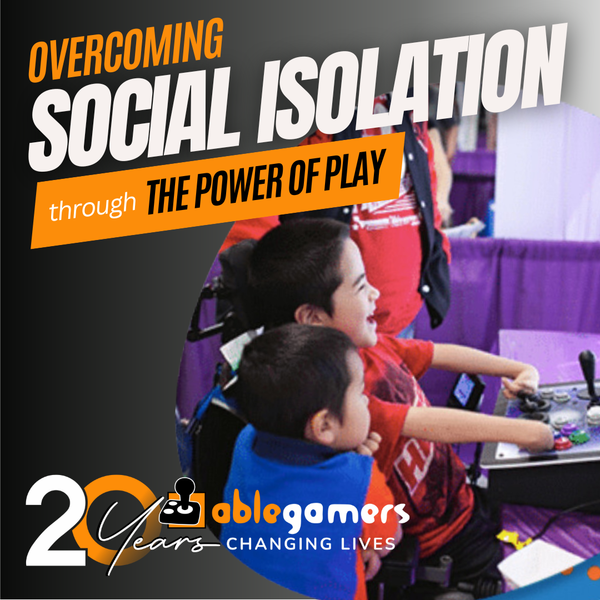
Jumpstart AbleGamers ToGoEnabling children, adults and veterans stuck in hospitals and care facilities is a top priority. Help us bring the enjoyment of video games directly to those who need it the most with a giant mobile Arcade.
A Window to the WorldMeet Mary. At a local AbleGamers Accessibility Arcade, Mary had her life changed forever through the power of video games. Learn more about her story.
No Barriers to Fun!We met our friend Giddeon at the AbleGamers Accessibility Arcade in Atlantic City, New Jersey. Learn how a simple adaptation turned this young man into a ninja warrior.
Ever since the first console was launched years ago disabled gamers have been eagerly awaiting the day when all of our favorite peripherals that make the PC so accessible would be usable to do the same on our Xbox or PlayStation.
That day is drawing near.
Meet XIM Edge, a nifty little piece of technology that allows you to use your keyboard and mouse to control an Xbox 360 or PlayStation 3. But that's not all this thing does.
I had the opportunity to sit down with the owner and creator of the XIM series. “Accessibility was built into the XIM from its inception,” said OBsIV, creator of XIM. “I have a passion for the disabled community and it was important to me that we support disabled gamers.”
Actually you can check the owner’s manual, accessibility is written right in the description.
What makes this piece of technology such an accessibility champion?
Simple. XIM Edge allows your PC to plug into the device and control your Xbox or PS3 directly from your computer. Not only that, but the SDK called XIM Bridge works with various community written programs such as XIM Commander and XIM Emulator to capture any input given to your computer directly to your console.
That means that your specialty keyboard, mouse, Adroit, head mouse, TrackIR, Smart NAV, X-Keys, Ergodex and any other device that your computer recognizes will now work on your Xbox 360 and PlayStation 3.
The setup is relatively easy, although you will need to spend some money. You will need a wired Xbox 360 or PlayStation 3 controller, a Belkin USB Easy Transfer Cable, and of course, your XIM Edge.
Take the transfer cable and plug it from your PC into your XIM. Plug the controller into the XIM and plug the XIM into your console. Load up either Commander or Emulator and bam, accessibility.
XIM allows you to remap any button to any switch. Need more versatility? Plug Adroit or X-Keys into your PC to gain more switches. You can control the analog sticks with your mouse, joysticks, TrackIR, Smart NAV or whatever device you normally use. Voice-recognition software, such as VAC, will work the same as it does for PC games as well.
Now, by default your mouse is captured and on-screen keyboards are rendered useless. XIM Commander has some settings that allow you to use the mouse while still controlling the XIM, but more testing needs to be done to verify which on-screen keyboards will work.
We have had XIM in the AbleGamers’ testing lab for a few weeks and have so far found comfort on screen keyboard works relatively well. In addition, most USB devices we could find work flawlessly with XIM and we see no reason any USB device shouldn’t work. Unfortunately, devices such as switches that are 3.5mm don't have any way to directly put into XIM, but that's where Adroit or X-Keys comes into play.
We are also working closely with the creator of XIM and he has offered his full support to AbleGamers and our readers to further enable more individuals with disabilities in the future.
In the meantime, if you ever dreamed of controlling your console via your computer and all the fancy gadgets we can use with the PC… XIM Edge just might be the ticket.
What do you think? Is XIM the Holy Grail of accessibility?
Steve Spohn is the Editor-in-Chief of AbleGamers & Outreach Chair for the Foundation. He is an expert in gaming with disabilities and assistive technologies and can be seen on MSNBC, CNN, G4 and more.
the solution I'm exploring at the moment does not satisfy me I will buy that thing. this is really good news because not everybody has friends who know how to solder and so on.
I use an iMac, not a PC. Would that be a problem? I use a Kensington Orbit trackball and a KeyStrokes on-screen keyboard. I do have Bootcamp on my iMac, which allows me to run Windows XP using the program VMWare Fusion. I would be overjoyed if I could finally play games on an Xbox 360 or PS3!! Any info about if this would work for me would be greatly appreciated!!
Ps. Before anyone asks, I'm not switching back to a PC. I love my iMac!!
Hi Cricker, I'm honestly not sure if this would work on an imac. I'm going to assume that at the very worst you could simulate Windows in order to make it work. However, since this uses an SDK it would be as simple as getting someone to write a mac software version. We will do some testing when we come back from Chicago and let you know.
JM, Yes, XIM 3 and XIM Edge Are interchangeable as far as this article goes. However, only the edge can play on PlayStation as far as I know. Also, edge is a little bit cheaper because there is not a screen display on the spice itself, but it still allows you to use your computer all the same.
And as far as the 720 and PS4, something that I did not mentioned in the article, but maybe I should have, is that both Sony and Microsoft have given permission to XIM to do this project. So there is no danger of them disabling the software and a really good chance that it will be continued into the next generation of consoles. The guy who is running this is really wonderful and has so much passion for the disabled community.
Comments (20)